Unfuse Procedure (Separate the Fusion Module from the Panther System)
Parts and Materials Required
Time Required
- 15 minutes
Procedure
- Put on proper PPE.
- Shut down the Panther System and the PC.
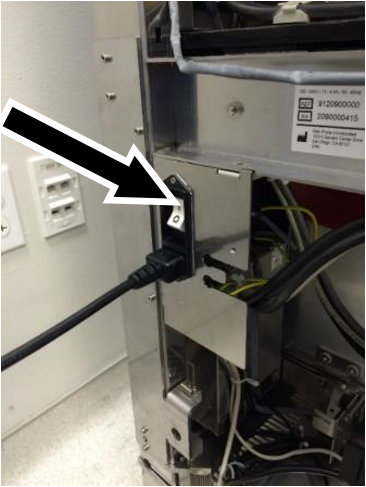
 Turn OFF the Panther System power switch and disconnect the main power cable.
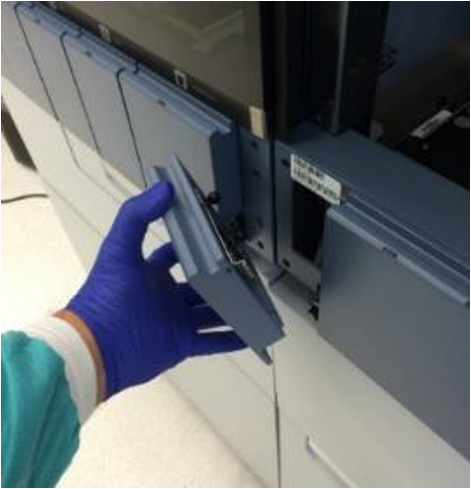
- Remove the intermediary front cover panel (between the Fusion Module and the Panther System).
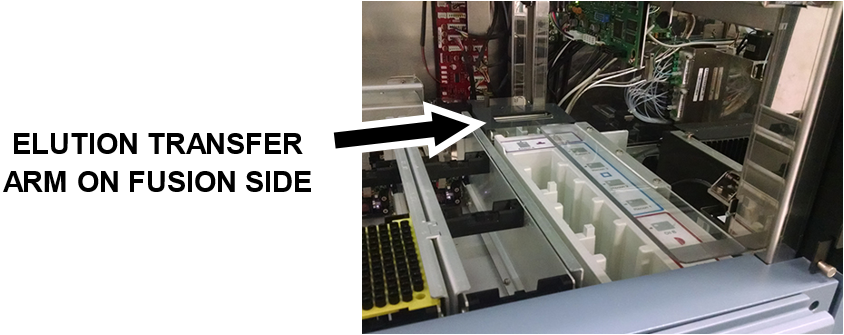
- Open the Fusion Module Canopy Door and make sure that the Elution Buffer Transfer Arm is positioned on the Fusion Module side (manually move it if necessary).
- Open the Panther System Computer Bay door, and then pull out the Fusion Module Waste Drawer.
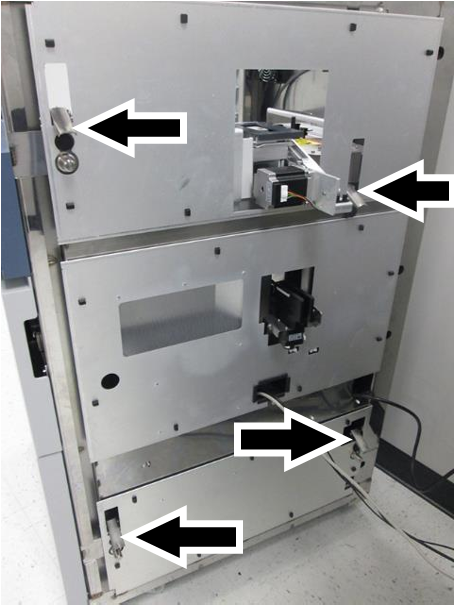
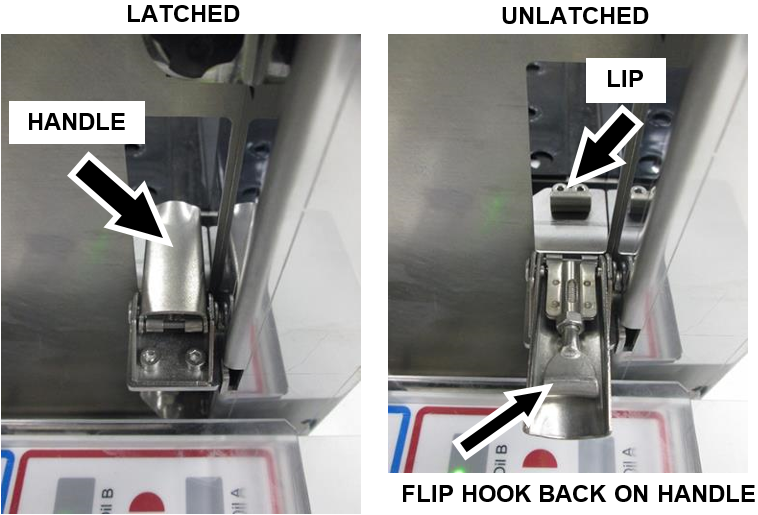
- Undo all four Fusion Module latches.

Note—The following view shows a Fusion Module already unfused in order to show the location of the 4 latches. - On each latch, flip the hook back onto the handle as shown so that it does not catch the lip when the Fusion Module is moved away from the Panther System.
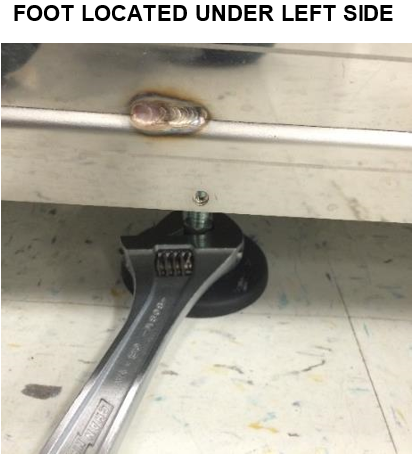
- Raise the Fusion Module mounting foot using an adjustable wrench.
- Close the Fusion Module Waste Drawer.
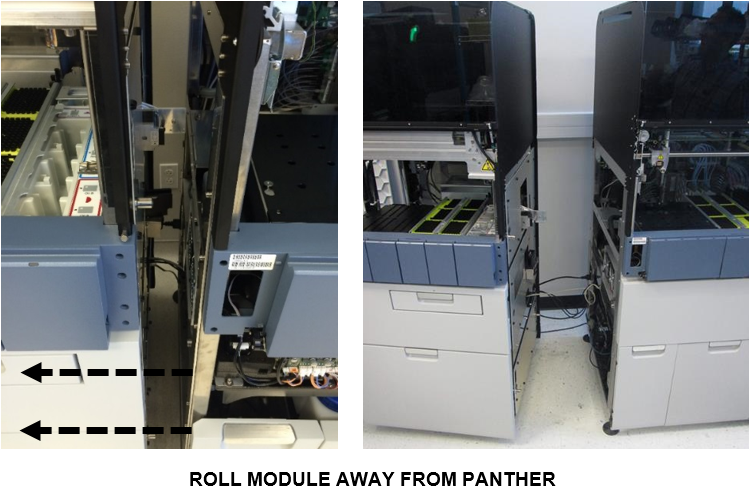
- Carefully roll the Fusion Module away from the Panther System.
Note—Make sure that the Handoff Station and the Elution Buffer Transfer Arm do not come into contact with the Panther System frame during this movement. 
Caution—No cables between the Panther System and the Fusion Module need to be disconnected, but make sure that no cables are pulled on, taut, or stressed. Reposition cables as needed to create enough slack to separate the Fusion Module from the Panther System.
 button at the top of the page to send feedback, comments, or change requests.