Vacuum Pump 24V Power Cable Routing Procedure
Parts and Materials Required
- 4mm Allen Wrench
Time Required
- 30 Minutes
Procedure
- Put on proper PPE.
- Shutdown the Panther system.
- Disconnect the Power cable from the UPS or PDU.
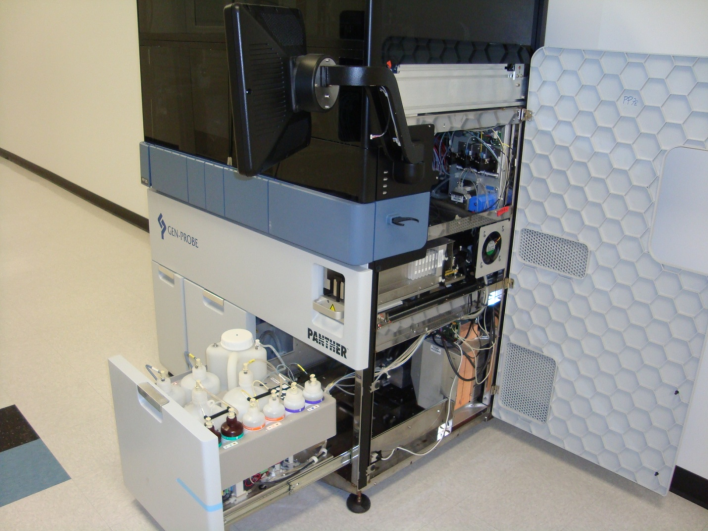
- Pull the Universal Fluid Drawer out.
 Open the right-side panel as shown below.
- From the right side of the system, release and slide the vacuum pump mount plate towards the front of the system.
- Disconnect any tubing if necessary.

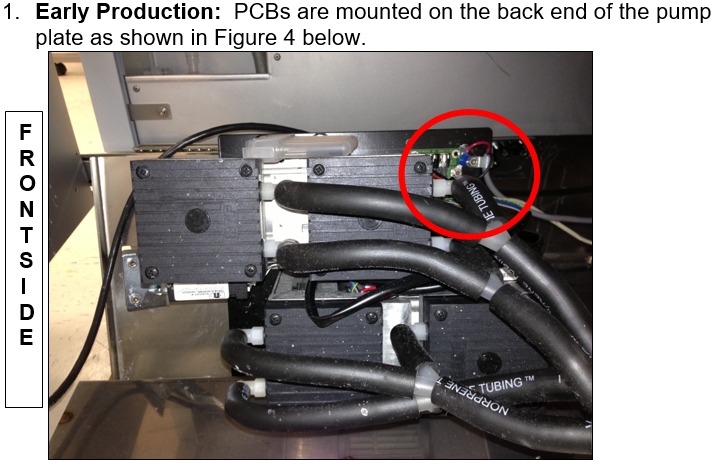
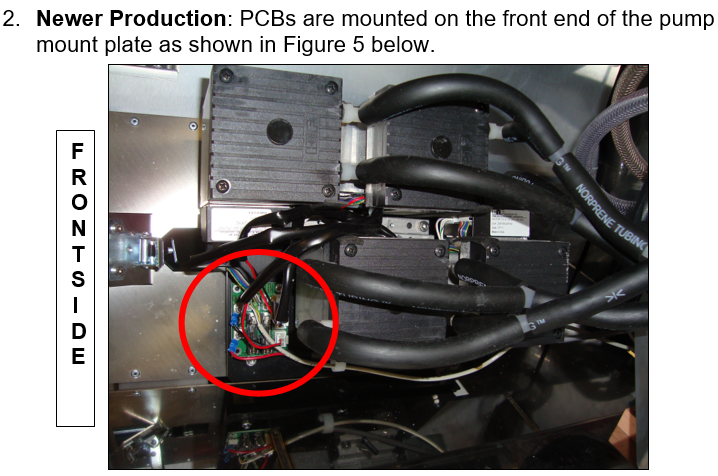
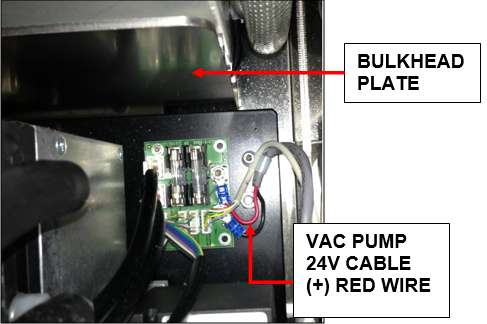
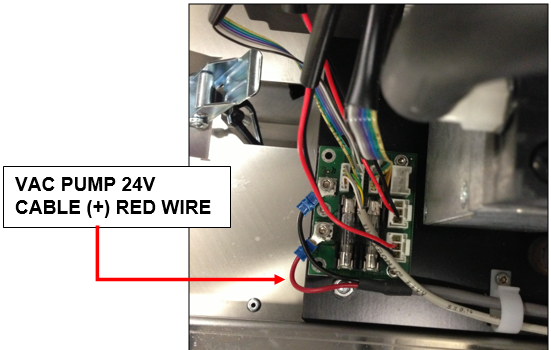
Note—There are two configurations of the vacuum pump mount plate. - Inspect the vacuum power cable and verify the wires are not contacting any surfaces of the drawer (conductive or non-conductive). Make sure the wires are routed as shown below.
- When the inspection is complete, return the vacuum pump plate back to its original location in the system.
- Secure the latch and make sure the tubing is in place.
- Close the right-side panel.
- Close the Universal Fluid Drawer.
- Plug in the power cable.
- Power on the Panther System and PC.
Verification
- Power on the Panther System and PC.
- Log in to the FSE shield.
- Open the Service Software.
- Initialize the Vacuum.
- Activate the Vacuum & Read the Vacuum pressure.
- Verify the vacuum is within specifications.
The vacuum level must read between -203mbar and -270mbar and the vacuum pump speed must read above 1650rpm.
If needed refer to Configuring the Quad Head Vacuum Pump Speed. - Exit Service Software.
- Start Panther Main.
- Check Vacuum in Panther Main.
- PrimeOperation of pumping fluid through tubing to ensure proper and consistent fluid delivery (remove air from the tubing, etc.). the system.
- Verify the Vacuum is within Specification:
- Maintains a vacuum level between 6inHg and 8inHg.
- Verify that exhaust is flowing through the rear vent (serial #00281 and higher) or through the routed tubing (serial #00280 and lower).
- Shutdown and restart the Panther System and PC in Customer Mode and return to customer.
 button at the top of the page to send feedback, comments, or change requests.