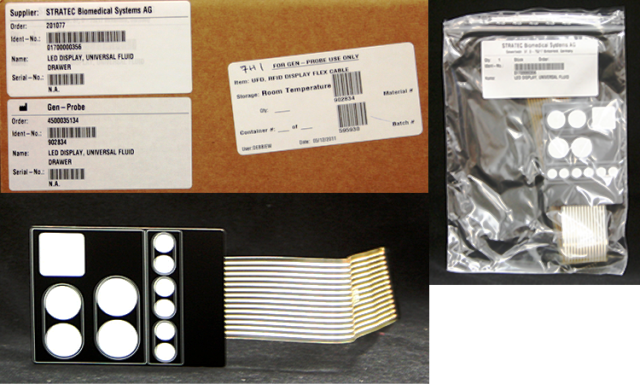
Parts and Materials Required
- Allen wrench, 2.5 mm
- Allen wrench, 3 mm
- UFD, RFID DISPLAY FLEX CABLE
Time Required
- 30 minutes
Removal Procedure
- Put on proper PPE.
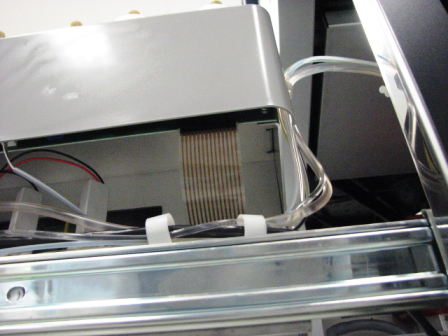
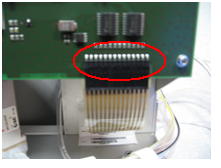
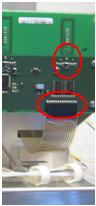
 Disconnect the UFD Display flex cable from the right side of the Universal Fluid Drawer PCB by pulling straight down on the UFD Display flex cable.
- Obtain a piece of masking tape approximately 2 feet long.
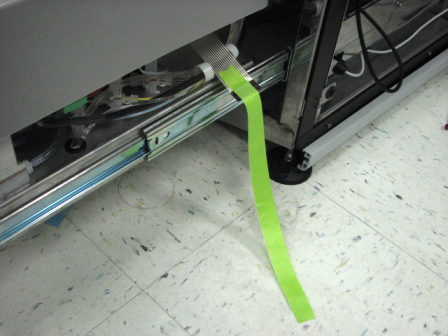
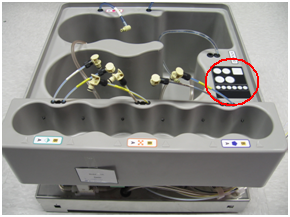
- To aid in installing the new flex circuit cable, it is recommended to use masking tape to help thread the UFD Display flex cable through. Fold the masking tape in the middle, and attach both ends to either side of the UFD Display flex cable connector.
- Unpeel the UFD Display flex cable from the bin to remove the UFD Display flex cable. Be careful not to pull the masking tape all the way through the Universal Fluids Drawer. Once the UFD Display flex cable connector has been pulled to the top of the bin, remove the masking tape, and secure the tape to the new UFD Display flex cable connector.
Replacement Procedure
- Using the masking tape, pull the UFD Display flex cable back through the drawer.
- Stick the RFID display on the bin.
- Connect the UFD Display flex cable to the PCB connector.
Verification
- Start up the Panther System.
- Replace Universal Fluid bottles with new bottles.
- Verify that the system correctly reads bottle ID labels.
 button at the top of the page to send feedback, comments, or change requests.