Magnetic Latch Installation

Purpose

Instructions to install magnetic latches on the Universal Fluid Drawer and the Waste Drawer.

The following Panther System SN's are affected by magnetic latches:

Serial Number Type of Magnetic Latch Waster Drawer Universal Fluid Drawer
00001–00099 No latches possible Frame/chassis does not accommodate magnetic latch hardware
00100–01936 Hologic design
ASY-09018

Lock is on the left of the
drawer as you face the Panther


ASY-09015

Lock is on the right of the
drawer as you face the Panther

01937 and up Stratec design New design cut-in, not available as a spare part
01937 and up Stratec design Lock is on the right of the
drawer as you face the Panther
Lock is on the left of the
drawer as you face the Panther

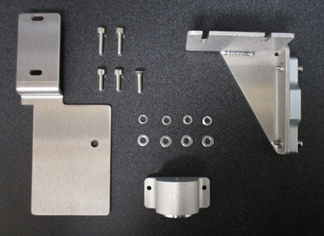
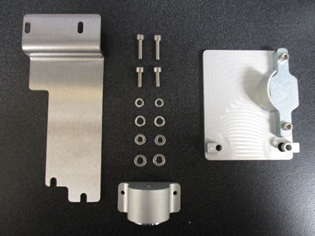
Parts and Materials Required

Time Required

60 minutes

Procedure

Note—Apply Loctite 242 to all screws used in this procedure.

ClosedPart A – Waste Drawer Magnetic Latch [ASY-09018] Installation

  1. Put on proper PPE.
  2. Shut down the Panther System and PC.
  3. Open and fully extend the Waste Drawer.
  4. Referring to Waste Drawer Removal and Replacement, remove the current Waste Drawer retaining clips from the waste drawer slide rails.
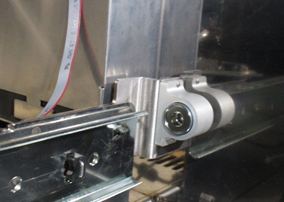
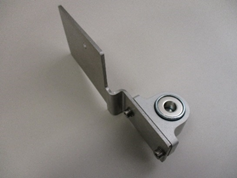
  5. ClosedThe Waste Drawer upgrade consists of 2 brackets, 1 that mounts to the back of the waste drawer (chassis side) and 1 that mounts on the waste drawer lock assembly (drawer side).
  6. Using the included 2 M4x12 screws, 2 M4 flat washers, and 2 M4 lock washers, loosely assemble the magnet housing to the mounting bracket.
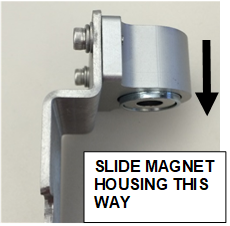
  7. ClosedSlide the magnet housing in the direction of the arrow.
  8. Tighten the mounting screws.
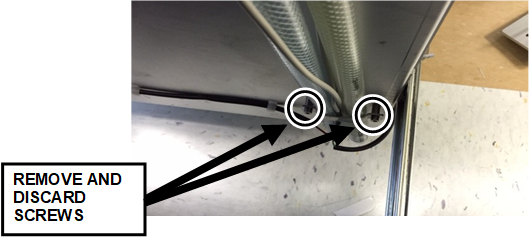
  9. ClosedRemove the tube bracket found on the lower left side (as you face the Panther) of the back of the waste drawer, highlighted below. Discard the screws.
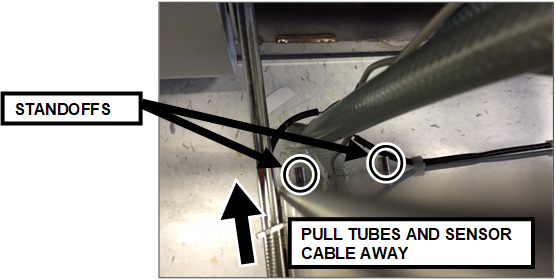
  10. ClosedRemove the bracket and pull the 2 tubes and sensor cables away from the back panel of the drawer allowing the strike plate to slide over the 2 standoffs.
  11. Route the tubing (with the sensor cables) against the strike plate and between the stanchions.
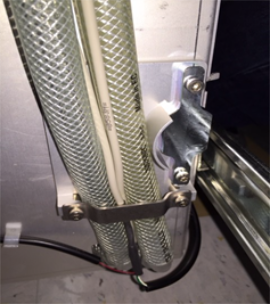
  12. ClosedUsing the included M4X16 Socket Head Cap Screws, reinstall the bracket.
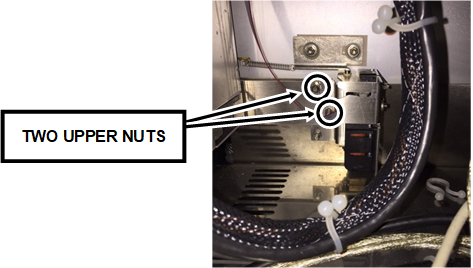
  13. ClosedFrom the left side of the system, using an 8 mm socket drive, remove the 2 upper nuts highlighted in the picture. Retain these nuts to be used in the next step.
  14. ClosedPlacing the magnet assembly with the bracket on the Waste Drawer lock assembly as shown, secure it with the included 2 M4 flat washers and 2 M4 lock washers and the 2 nuts that were removed in the previous step.
  15. Push the Waste Drawer shut and confirm the engagement of the magnet with the strike plate.
  16. Pushing against the front side of the drawer to align the drawer locking pin with the pin hole, tighten the 2 screws securing the magnet assembly to the bracket.
  17. Open and close the Waste Drawer a couple of times to ensure proper engagement of the magnet, the strike plate, and the locking pin with the drawer locking bracket.
    • You may need to remove the magnet assembly to adjust the magnet position on the bracket to ensure proper alignment.
    • The bracket is slotted to slide the magnet assembly on the bracket for best results.

      Note—You may require assistance and may need to repeat this step a number of times to get the best results.

      Confirm that the 2 looped tubes in the back of the drawer are routed correctly, with no overlapping of the tubing on the back of the drawer which could obstruct smooth closing of the drawer.

      Some systems have spiral wrap around the tubing in the back of the system, which may block the magnet assembly. If the magnet assembly is blocked, then the tubing may be pulled too closely to the Waste Drawer side. To fix this issue, from the backside of the vacuum pump, pull the tubes to the Universal Fluid Drawer side.

  18. With the Waste Drawer open , loosen 1 nut/screw at a time, of every hardware used to install the assembly, apply Loctite 242, and retighten them.
    • Repeat Step 17 if the bracket shifts position during this process.
  19. Inspect and, if needed, retighten the screws of the Waste Drawer handle and the screws holding the front skin of the Waste Drawer.
  20. Proceed to Verification.

ClosedPart B – Universal Fluid Drawer Magnetic Latch [ASY-09015] Installation

  1. Put on proper PPE.
  2. Open and fully extend the Universal Fluid Drawer.
  3. Remove the current UFD retaining clips from the drawer slide rails.
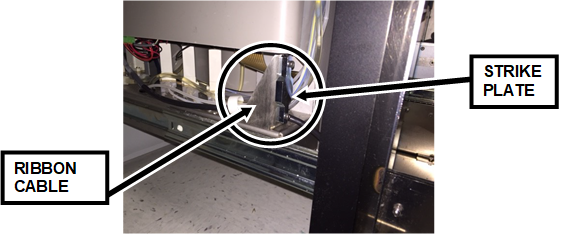
  4. ClosedThe Universal Fluid Drawer upgrade consists of 2 brackets, 1 that mounts to the back of the UFD drawer and 1 that mounts on the chassis.
  5. From the right side of the Universal Fluid Drawer, remove the 2 screws holding the tube/cable clips and discard the screws.
  6. ClosedReplace the discarded screws with the included M4X16 Socket Cap Head Screws and screw them in loosely allowing the strike plate and bracket to slide under the tube/cable clips.
    Note—Slightly lifting the fluids tray may give better access to removing the old tube/cable clip screws and installing the new screws. Be careful not to disconnect the ribbon cable. When installation is complete, confirm the ribbon cable is firmly connected.
  7. ClosedUsing the included 2 M4x12, 2 M4 flat washers, and 2 M4 lock washers, assemble the magnet housing to the mounting bracket.
    • Loosely tighten the screws to allow the magnet assembly to slide on the bracket for adjustment at a later step.
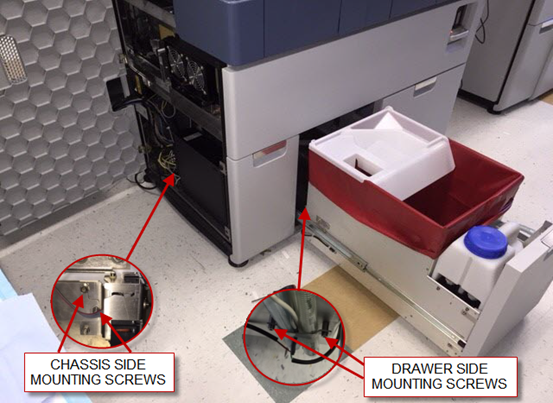
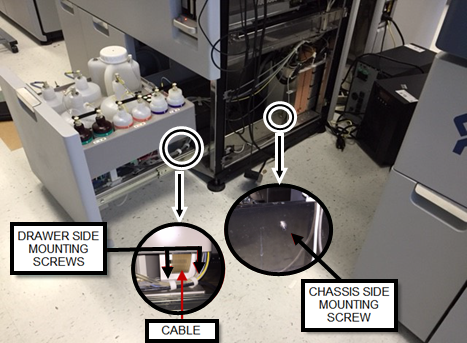
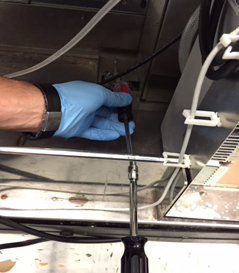
  8. ClosedLocate the chassis-side mounting screw and unscrew it using a Phillips head screwdriver and a straight 7 mm socket drive. Retain this nut for use in a later step.
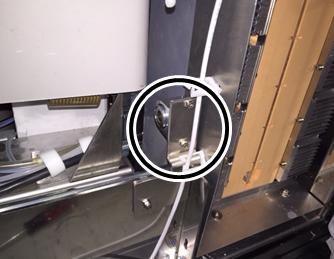
  9. ClosedReplacing the existing M4 flat head screw with the included M4X16 Flat Head Cap Screw and with the retained nut, mount the magnet assembly and bracket as shown.
    • The lower white cable tie on some systems may need to be removed and discarded to allow the bracket to be correctly mounted.
  10. Close the drawer slowly to allow the magnet to engage with the strike plate.
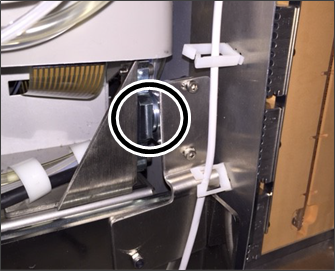
  11. ClosedAdjust the 2 assemblies to get the best alignment between the magnet and the strike plate, then tighten all the screws while holding the drawer in position.
    Note—This step might need to be repeated a number of times to get the best results.
  12. Close and open the drawer a number of times to confirm a good contact between the strike plate and the magnet.
  13. With the Waste Drawer open, loosen 1 nut/screw at a time, of every hardware used to install the assembly, apply Loctite 242, and retighten them. Repeat Step 11 if the bracket shifts position during this process.
  14. Inspect and, if needed, retighten the screws of the fluids drawer handle, and the screws holding the front skin of the Waste Drawer.
  15. Proceed to Verification.

ClosedVerification

  1. Power up the Panther System and PC.
  2. Start Service Software.
  3. On the 4. LiVaCo System and Drawer tab, confirm the Waste Drawer lock functions properly (toggle Lock/Unlock) and the Read button is reading the state of the interlock and drawer correctly.
  4. Click Universal Drawer, and verify the Sensors Read button is reading the state of the drawer (open/closed) correctly.
  5. Close Service Software.
  6. Start Panther Main.
  7. Verify Panther Main starts with no errors and the Waste and Universal Fluid Drawers functions are working properly.