Installing the Peristaltic Pump Tubing on New Panther Systems
Parts and Materials Required
- N/A
Time Required
- 10 minutes
Procedure
 Locate the Peristaltic Pump module and the attached tubing.
- Remove the plastic zip-ties.

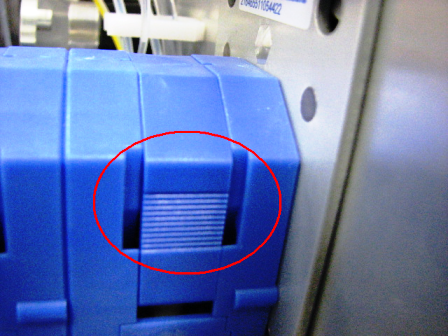
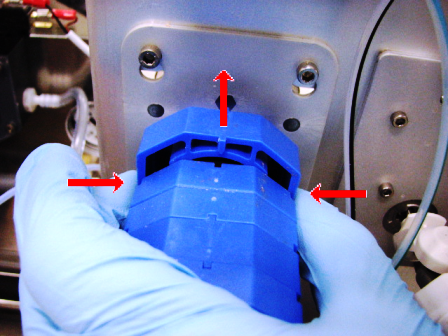
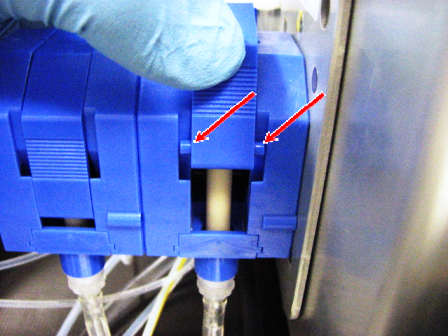
Note—Each pump has two Peristaltic Pump tubing assemblies (fluid pathways). Begin with the rear (BLUE) Peristaltic Pump tubing assembly. - Press on both release points on the rear (BLUE) Peristaltic Pump housing top cover and pull upward to remove the cover.
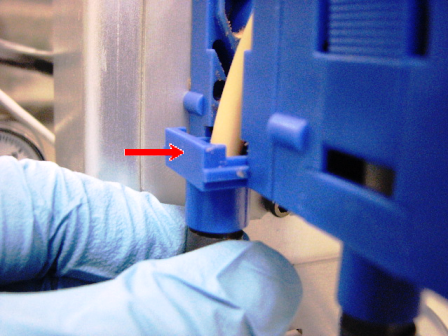
- Slide each end of the tubing assembly into the pump.
- Re-install the pump housing top cover and ensure the tabs follow the grooves.
- Repeat Step 5 for the front (RED) Peristaltic Pump tubing assembly.
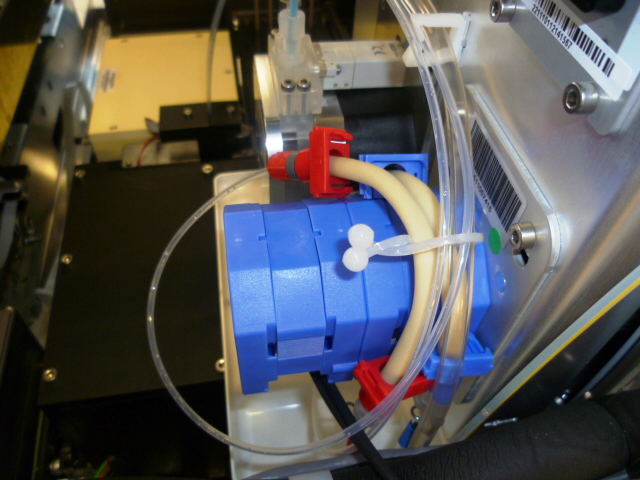
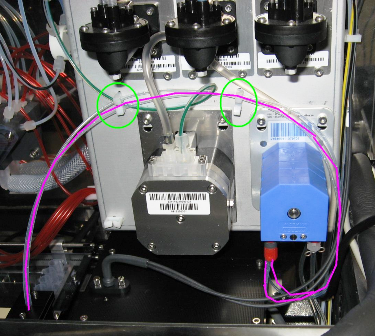
- Verify the Peristaltic Pump tubing is routed as shown in the following photo.
 button at the top of the page to send feedback, comments, or change requests.