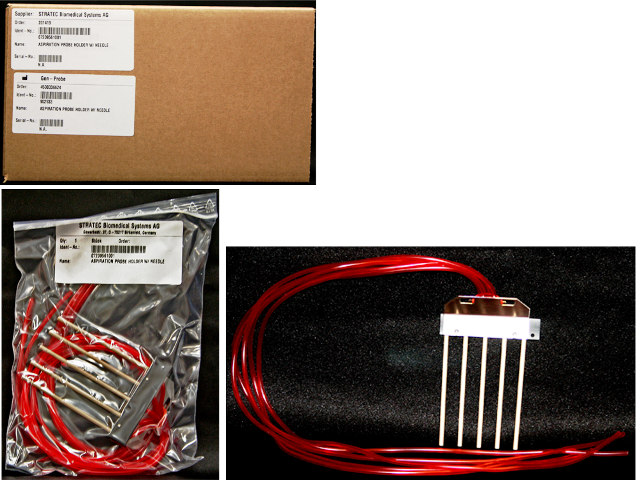
Output Queue Aspirator Assembly Removal and Replacement
Parts and Materials Required
Time Required
Removal Procedure
- Put on proper PPE.
- Power down the Panther System.
- Remove the plastic cover from the top of the Output Queue rails.
 Using a 2.5 mm hex key, remove the two 2.5 mm screws that secure aspirator assembly front cover.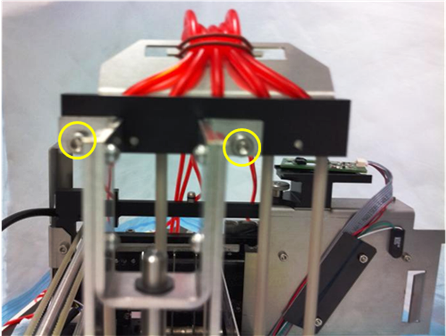
- Remove the red vacuum lines from the Vacuum Manifold.
- Remove the aspirator assembly.
Replacement Procedure
- Reverse the removal procedure.
- Verify that connections are properly seated and screws are all in place.
Verification
- Start the Panther System main software and the system (see the Panther System Operator's Manual).
- Verify that there is no liquid left in the after aspiration.
Click the  button at the top of the page to send feedback, comments, or change requests.