Apply Canopy Door Labels
What Is Affected
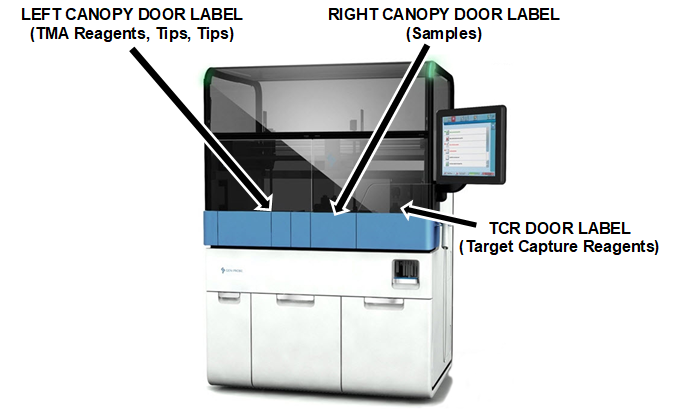
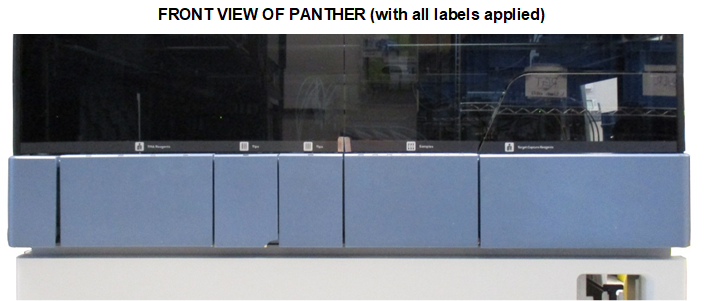
Icons labels depicting TMA Transcription-mediated amplification—Hologic's patented nucleic acid amplification technology. Reagents, Tips, Sample and TCRTarget capture reagent—An assay-specific reagent added as part of specimen pipetting. are now available to install. These labels must be installed on the Canopy Doors above their respective modules.
Icon labels were cut-in on Panther 01466 and above and do not require sticker installation.
Panther 01465 and below do not have icon labels, and should be installed as per below:
- Apply labels to a Panther System if a site has multiple systems with a combination of serial numbers above and below 01465. The goal is to have all Panthers on a site look the same. Single systems do not need to be upgraded.
- Apply labels to any Panther System below serial number 01465 when a Fusion is installed. All Fusions come with labels so the Panther should match, even if it’s a single system.
Panther # 01466 and above Single Panther # 01465 and below Multiple Panthers with #s above and below 01465 Single Panther with #s 01465 and below with a Fusion Canopy Labels Do not install Do not install Install Install
Label Locations
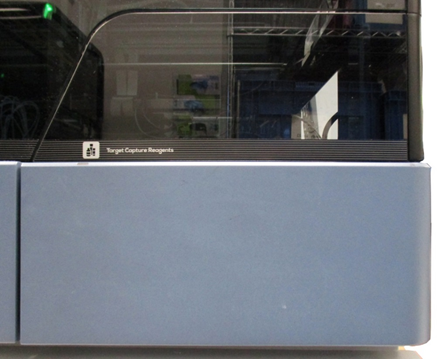
The locations for the 3 Icon Door Labels are shown below.
Parts and Materials Required
- Icon Label Kit [LBL-05727]
- Icon Door Label, Left Canopy Door (1)
- Icon Door Label, Right Canopy Door (1)
- Icon Door Label, TCR Door (1)
- Proper PPE
- 70% ethanol
Time Required
- 10 minutes
Procedure
- With 70% ethanol and a wipes, clean and dry all Plexiglas door surfaces.
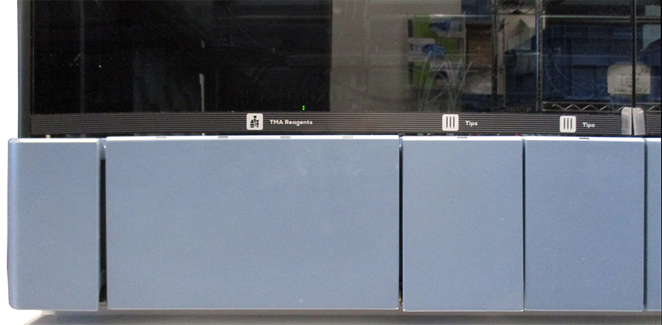
- Apply the label TMA / Tips / Tips on the Left Canopy Door Plexiglas window.
- Apply the label Samples on the Right Canopy Door Plexiglas window.
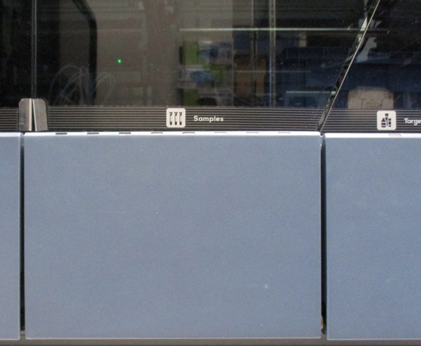
- Apply the label Target Capture Reagents on the TCR Door Plexiglass window.
Verification
No verification required.
 button at the top of the page to send feedback, comments, or change requests.