Waste to Drain Verification
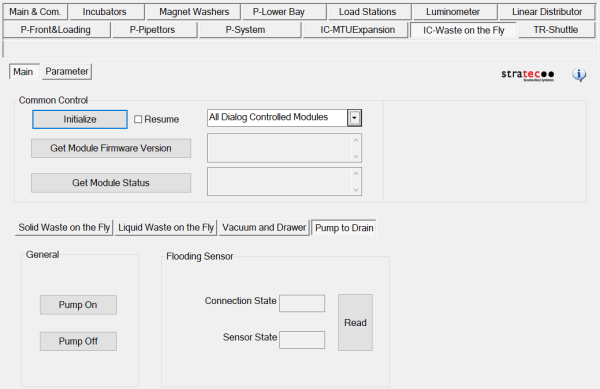
 Initialize the Waste to Drain Pump in Service Software.
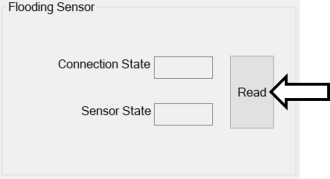
- Click Read in the Flooding Sensor section.
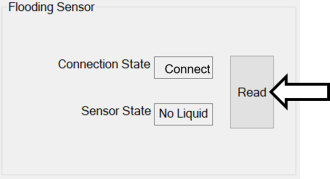
- Verify Connection State is Connected and Sensor State is No Liquid.
- Fill the Removable Bottle.
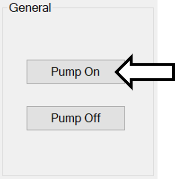
- Turn the Waste to Drain Pump On; verify liquid is being pumped out of the removable bottle into the drain.
- Turn OFF the Waste to Drain Pump off.
- Enable Waste to Drain in the Panther GUI
- Launch Panther Main.
- Navigate to Tasks>Maintenance>Service and Enable Waste to Drain.
- Verification is complete.
 button at the top of the page to send feedback, comments, or change requests.