Installation of the Waste to Drain Hardware
Procedure

|
Note— Be sure to document the serial number of the Waste-to-Drain module. |
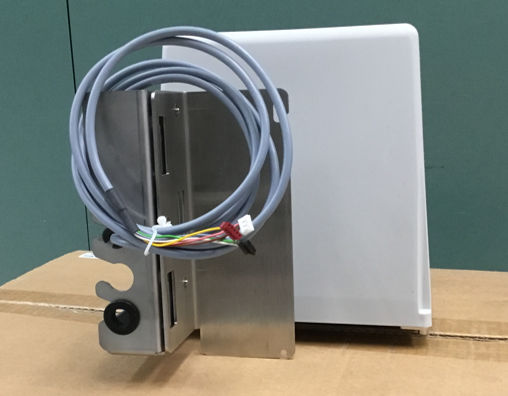
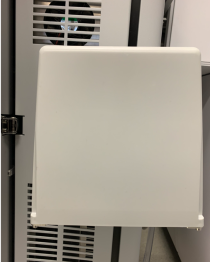
 Locate the Waste-to-Drain pump with cover.
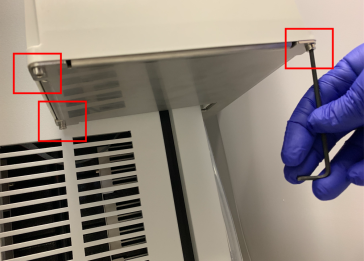
- Remove the screws that secure the plastic pump cover.
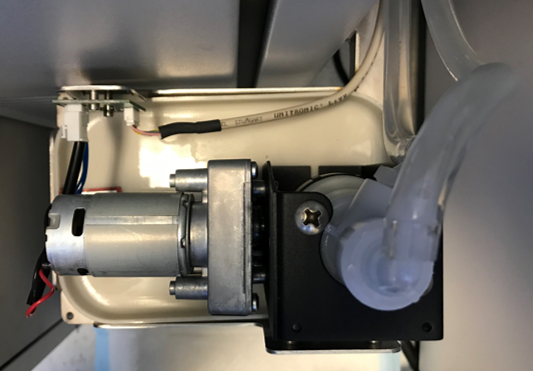
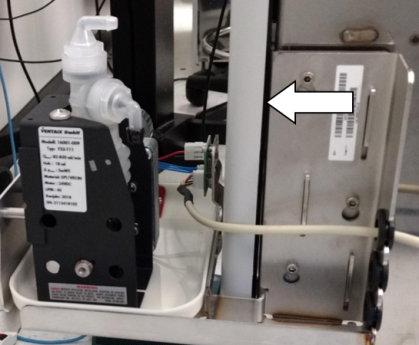
- Orient the Waste-to-Drain Pump's barbed fittings as shown below to aid with the routing of tubing once installed.
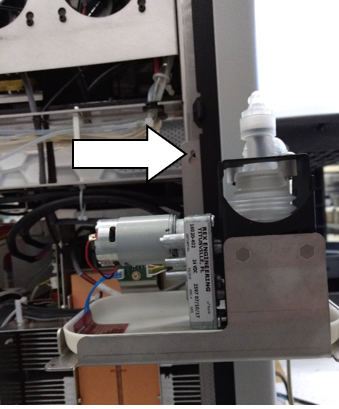
- Slide the mounting bracket between the black trim and the Panther chassis from the back-side of the Panther.
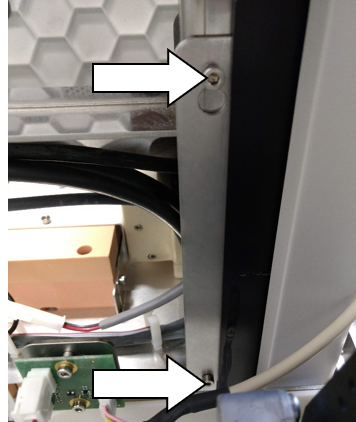
- Align the holes of the Waste-to-Drain module mounting bracket with the two threaded holes in the Panther Chassis.
Note—The holes in the chassis are in the area beneath the fans and above the cooling module. - Secure the bracket to the chassis with two M3 socket head cap screws.
- Proceed to Route the Tubing & Signal Cable to Waste-to-Drain Pump
 button at the top of the page to send feedback, comments, or change requests.