Database Reduction Tool (DART)
Prerequisites / Things to Remember
- The Panther Database to be reduced MUST be running on System v5.2 or greater.
Upgrading directly from pre System v5.2 to 7.x is NOT supported.
- The Database to be reduced MUST be less than 10GB in size.
If the Database is larger than 10GB, the Database cannot be restored onto System SW v7
If the Database is larger than 10GB then, Purge Message Logs and Purge Results (from the Panther GUI) to reduce the DB size.
- Do NOT copy the DART application onto the Panther
- The DART application MUST be run directly from the installation media (USB Drive).
Procedure
- Ensure ALL prerequisites listed above have been met
- Download the latest DART SW (as per the appropriate Software install TB) to a USB drive
- Insert the USB media (with the DART application) into the Panther PC
- From the FSE Shield, click on Install Software
- From the Install Software Screen, click on Browse
- Navigate to the DART application on the USB media.
Select the DART .gpz file and click Open
 Click Install Package.
The DART application will begin processing and the following screen will appear.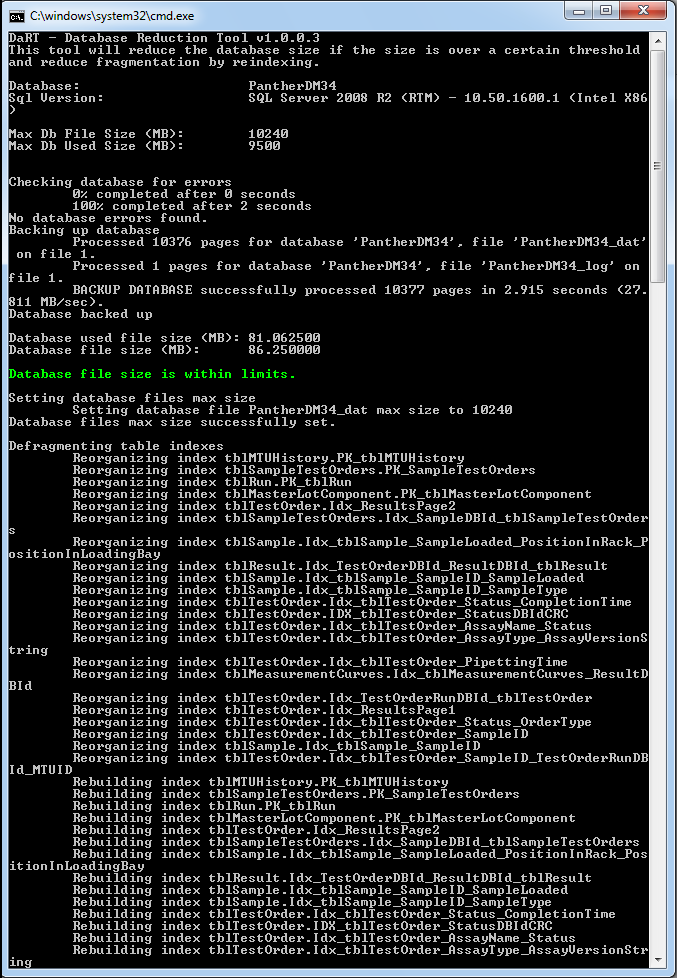
- Once the complete the application will report:
"100% complete after x seconds.
Please make a new database backup using Shield."
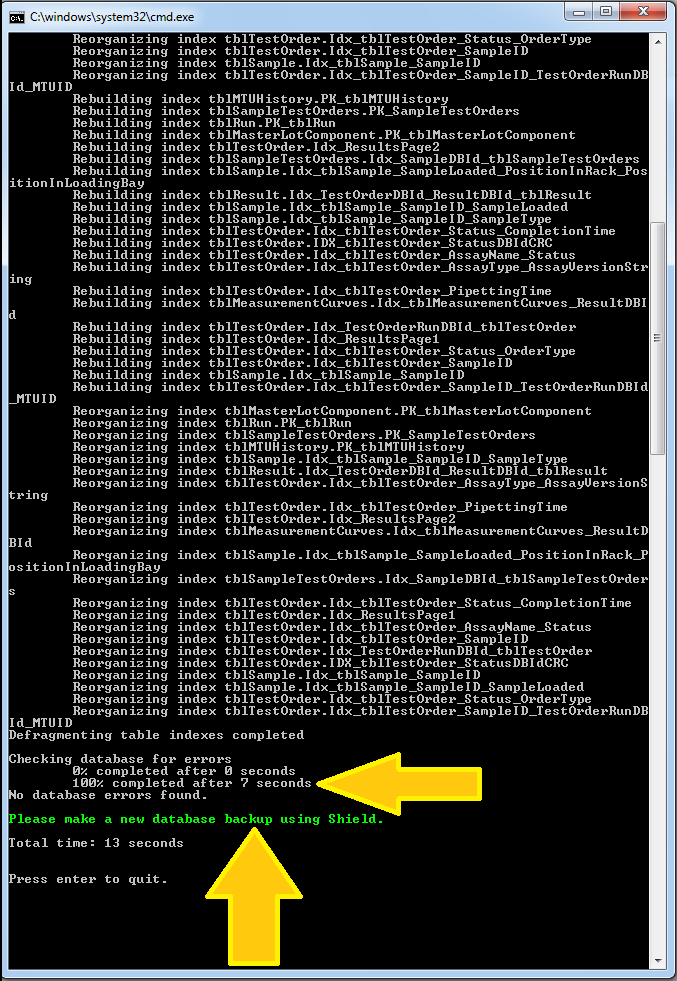
- Press enter to quit the application
Click the  button at the top of the page to send feedback, comments, or change requests.